All help topics
Messaging
SMS
Receive and send text messages on your numbers, and get every new text by email.
Numbers marked Voice + SMS can receive texts. Open Messages to read and reply.
Receive texts
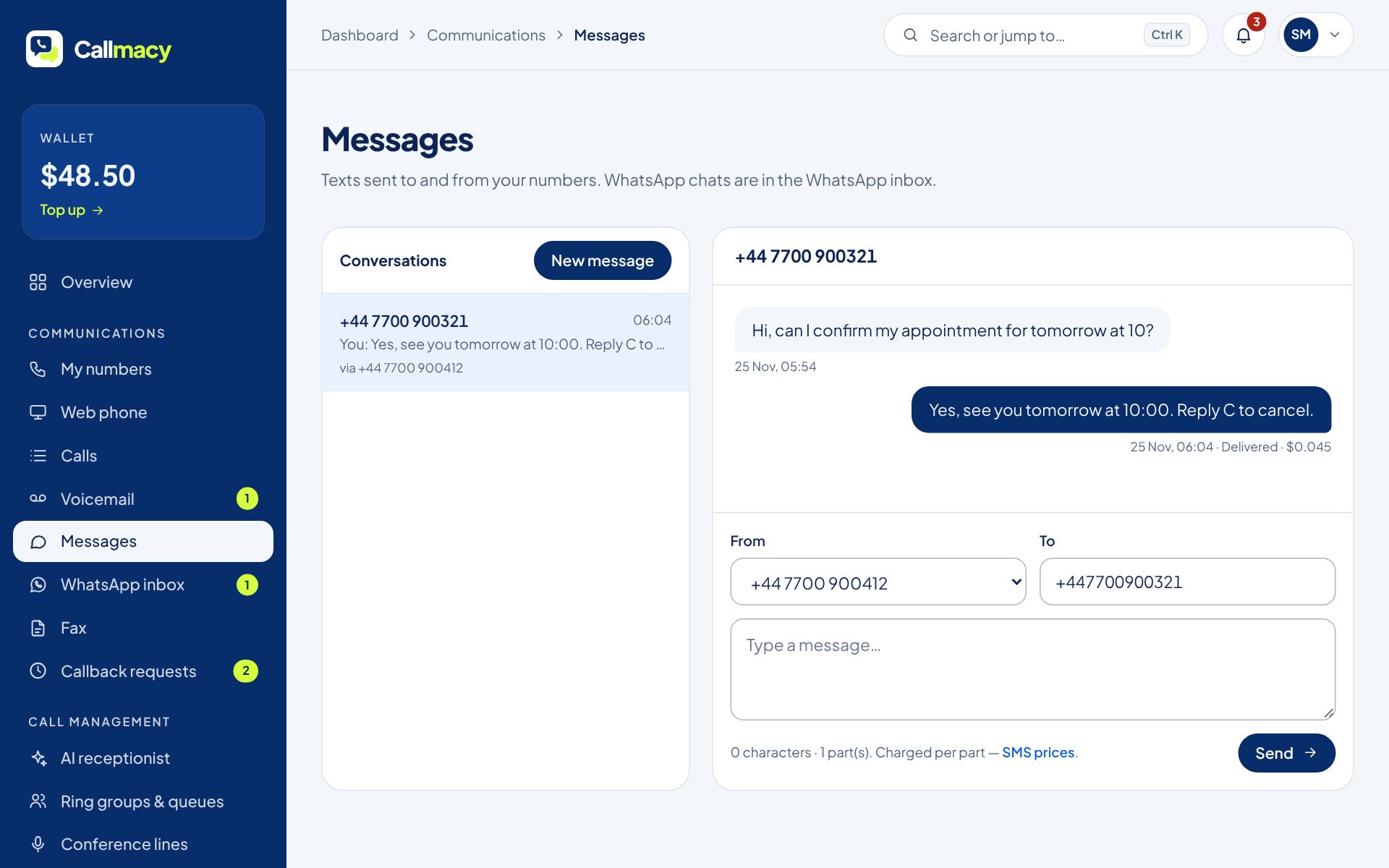
Texts appear in Messages as conversations. Each new text is also emailed to you — to your account email, or to the forwarding address set on the number. You can switch email alerts off per number in the WhatsApp inbox settings (the switch covers SMS and WhatsApp).
You can also send texts to your own system: on the number’s page, set Send texts to my webhook.
Send texts
Choose From (one of your numbers), enter To in international format, type your message and press Send. The page shows how many parts your message uses — texts are charged per part. See SMS prices on the pricing page.
Text callers you miss
A number that can send texts can also text back anyone whose call you could not answer.
- Open the number and scroll to SMS.
- Tick Text callers I miss.
- Write your message, or leave it blank to use ours. Put
{business}where your business name should go. - Press Save routing.
How it behaves:
- It sends when nobody answered, including when the caller left a voicemail.
- The text comes from the number the caller rang, so they can reply to it.
- Each caller gets at most one text in 24 hours from that number, however many times they ring.
- Callers with a hidden number are skipped.
- Calls answered by the AI receptionist use its own follow-up text instead.
- Each text is charged as a normal outgoing text and needs a plan that includes sending SMS.
Keep the message short and useful: who you are, and what the caller should do next.
US and Canada numbers
US and Canadian carriers require business registration (10DLC or toll-free verification) before a number can send texts. Until then, these numbers can receive texts but not send them. Register them in a few minutes under US texting registration — see Register US numbers for texting.
Still stuck?
Email [email protected] or send us a message — we usually reply within one business day.
Related guides
Register US numbers for texting
US and Canada carriers only deliver texts from registered businesses. Register local (10DLC) or toll-free numbers in your dashboard and sending switches on automatically.
WhatsApp inbox and automatic replies
Chat with customers on WhatsApp from your dashboard, and let a welcome message or an AI assistant answer for you.
Fax to email and online fax
Receive faxes as PDF attachments in your email and send faxes from your browser — no fax machine, phone line or software.