White-label portal
Your logo, colours, domain, support email and phone replace ours on sign-in pages, the dashboard, help pages and emails.
Local numbers in 62 countries, live in minutes. No contracts.
Partner programme
IT providers, agencies and telecom resellers: sell numbers in 62 countries, cloud calling, AI receptionists and travel eSIMs as your own product — on your domain, at your prices.
YAYourAgency
Overview
My numbers
Calls
Wallet
My numbers
Help: [email protected]
Watch how it works
From application to your first paying client — narrated, with real screens from the partner dashboard.
How to sign up
Most partners go from a new account to their first branded client in a day. Here’s exactly what happens.
Step 1
Sign up at callmacy.com with your work email and confirm it. It takes under a minute and costs nothing.
Step 2
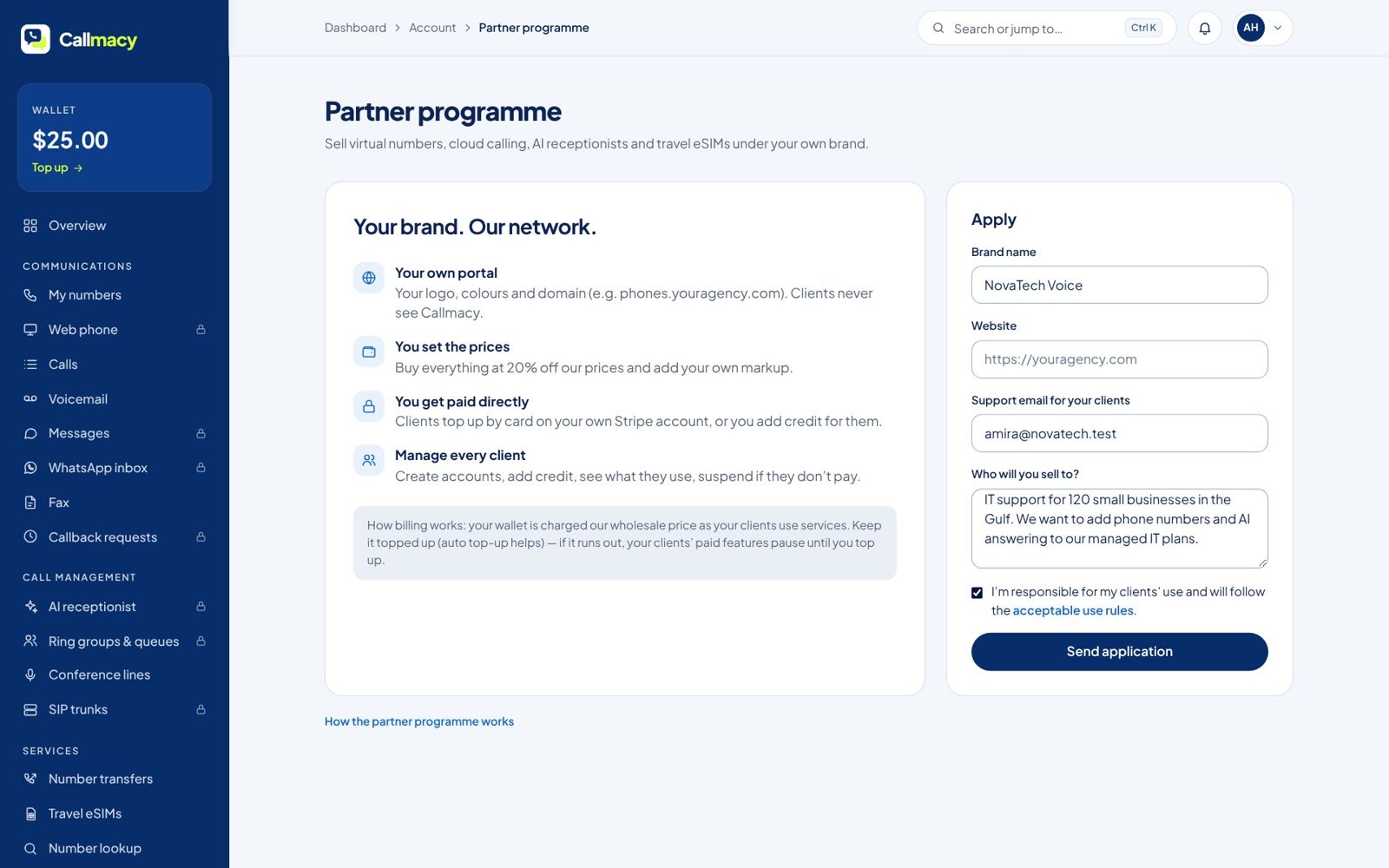
Open Partner programme in the menu. Tell us your brand name, your website, the support email your clients should use, and who you sell to.
Step 3
Our team reviews every application within one business day. You get an email, and the partner dashboard unlocks straight away.

Step 4
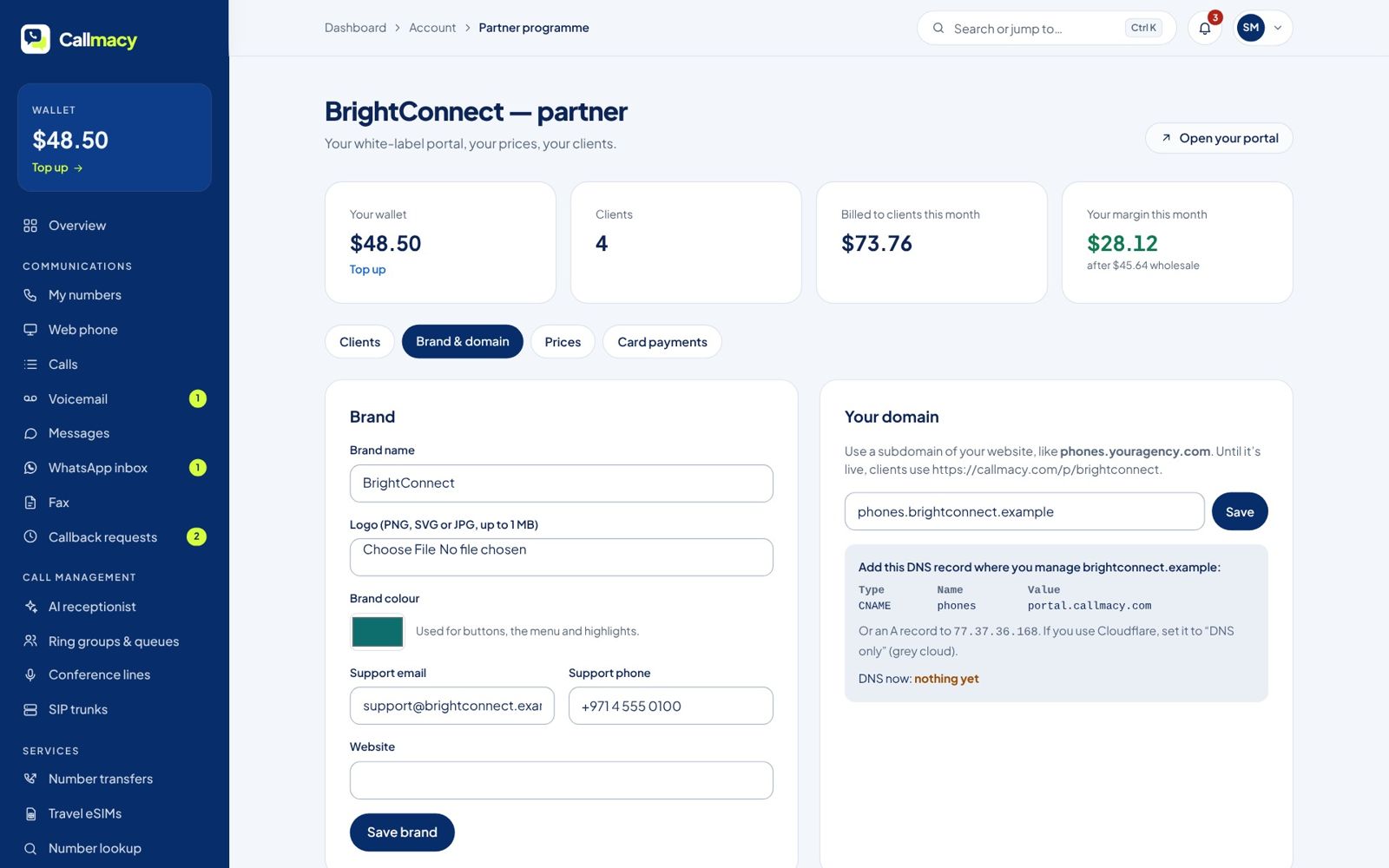
Add your logo, brand colour, support email and phone. Then point a subdomain such as phones.youragency.com at us with one DNS record — we add the certificate.
Step 5
Set one markup on top of your wholesale price. The table shows what you pay and what your client pays for numbers, minutes, texts and AI.

Step 6
Paste your Stripe keys and clients can top up by card on your portal, paying you directly. Or skip it and add credit yourself.

Step 7
Create accounts with optional starting credit, or share your sign-up link. Each client gets an email in your brand to choose a password.

Real screens from the partner dashboard (sample data).
After you’re approved
This is what you get the moment your application is approved — and what your clients see.
Every client in one list, with their balance at your prices. Add a client in seconds, or share your self sign-up link.
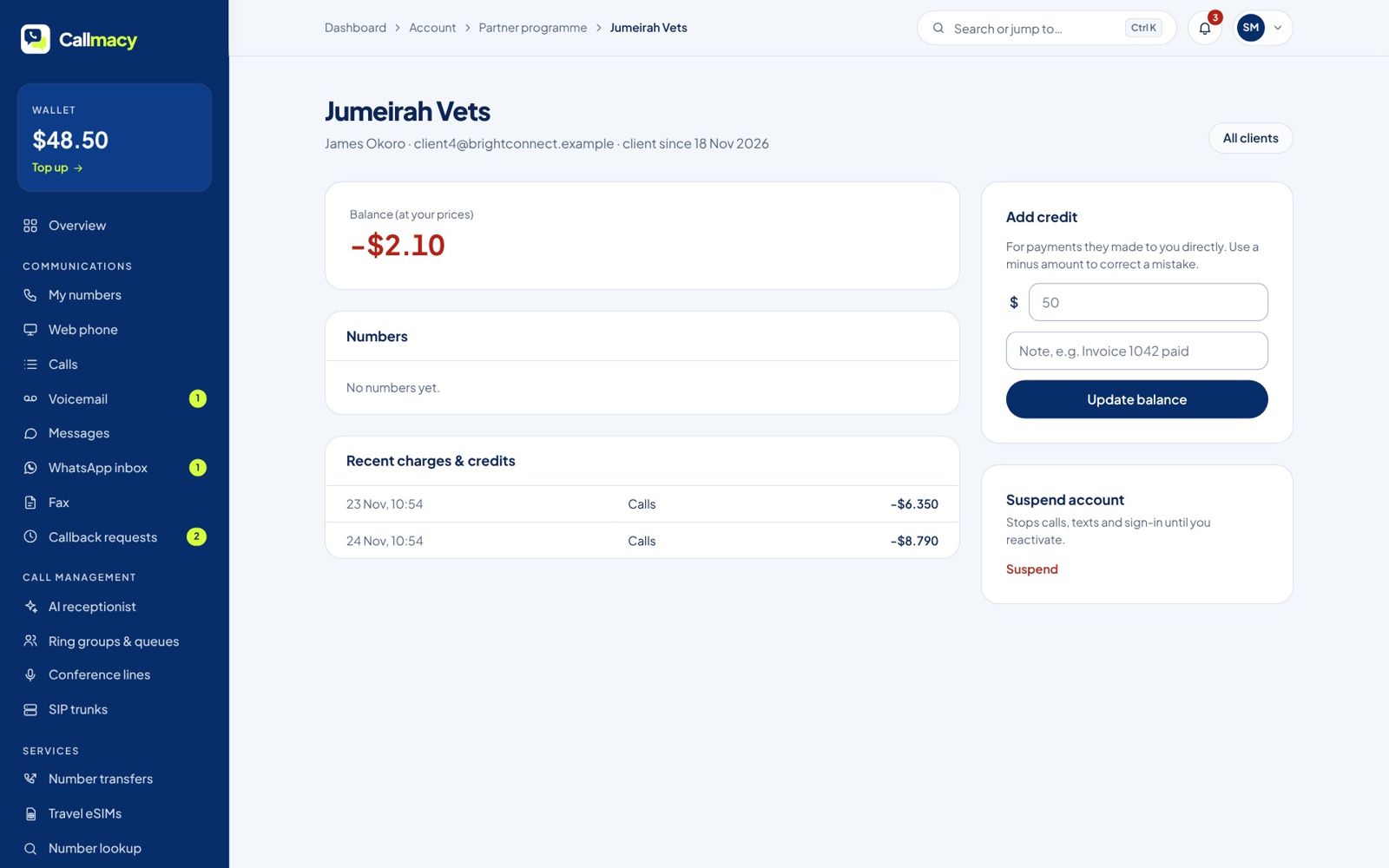
Open any client to see their numbers and recent charges, add credit when they pay you, or suspend the account.
Your name, logo, colour and support details replace ours everywhere your clients look. Connect your own domain with one DNS record.
Choose one markup and see exactly what you pay and what your client pays — for numbers, calls, texts and AI.
Connect your own Stripe account so clients can top up by card on your portal. The money goes straight to you.

Your clients get the full dashboard — numbers, calls, voicemail, messages, AI receptionist — in your colours and under your name.

Sign-in, sign-up and password emails all carry your brand, with your support email as the reply-to address.
Screens shown with sample data.
What you get
Your logo, colours, domain, support email and phone replace ours on sign-in pages, the dashboard, help pages and emails.
Buy at 20% off our prices and set one markup across everything — numbers, minutes, texts, AI, eSIMs.
Clients top up by card on your own Stripe account. Or add credit yourself and invoice them your way.
Create accounts, add credit, see each client’s balance, numbers and charges, and suspend anyone who doesn’t pay.
See what you billed your clients this month, what you paid us, and the difference.
Share your own sign-up link. Anyone who signs up there becomes your client automatically.
How the money works
You keep a prepaid wallet with us. As your clients use services, we charge it our wholesale price — 20% below list. Your clients pay your price from their own balance. The difference is your margin, every month.
Margin calculator
Over a year: —.
What you can sell
No. The portal, sign-in pages, help pages and emails carry your brand. Emails come from our mail server with your brand as the sender name and your support email as the reply-to address.
You buy everything at 20% off our prices and choose one markup (up to 300%) on top. Your clients pay your price; the difference is your margin, every month.
By card straight to your own Stripe account, or you add credit to their balance yourself when they pay you another way.
You do. Your support email and phone appear in their portal and emails. We support you.
Yes. Point a subdomain you own, such as phones.youragency.com, at us with one DNS record. Until then, your portal works on our partner address.
Nothing. There is no partner fee. You keep a prepaid wallet with us that pays the wholesale price as your clients use services.
Create an account, open Partner programme in your dashboard, tell us your brand and who you sell to. We review applications within one business day.
No partner fee. Approved within one business day.