All help topics
Calls
Call recording, transcripts and summaries
Record answered calls, then read a full transcript and a short AI summary of what was said and what to follow up.
Recording helps you train your team, settle disputes and never miss a detail. Callmacy can also write out every recorded call and summarise it for you.
Turn on recording
- Open My numbers and click the number.
- In Voicemail & recording, tick Record answered calls.
- Choose the options:
- Transcribe and summarise recorded calls — adds a transcript and a 2–4 sentence summary to each call.
- Tell callers “This call may be recorded.” — played before the call rings through.
- Click Save routing.
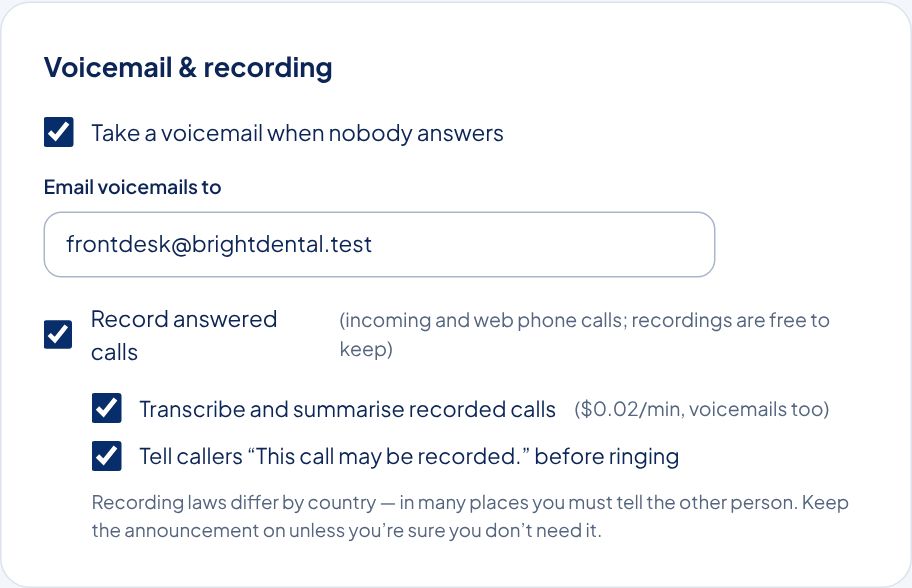
Incoming calls are recorded once they are answered. Calls made and received on the web phone are recorded too.
Recording laws differ by country. In many places you must tell the other person a call is recorded. Keep the announcement on unless you are sure you don’t need it.
Listen, read and search
Open Calls. Recorded calls show a player, a Download link and the summary — who called, what they wanted and what to do next. Click Full transcript to read the whole conversation.
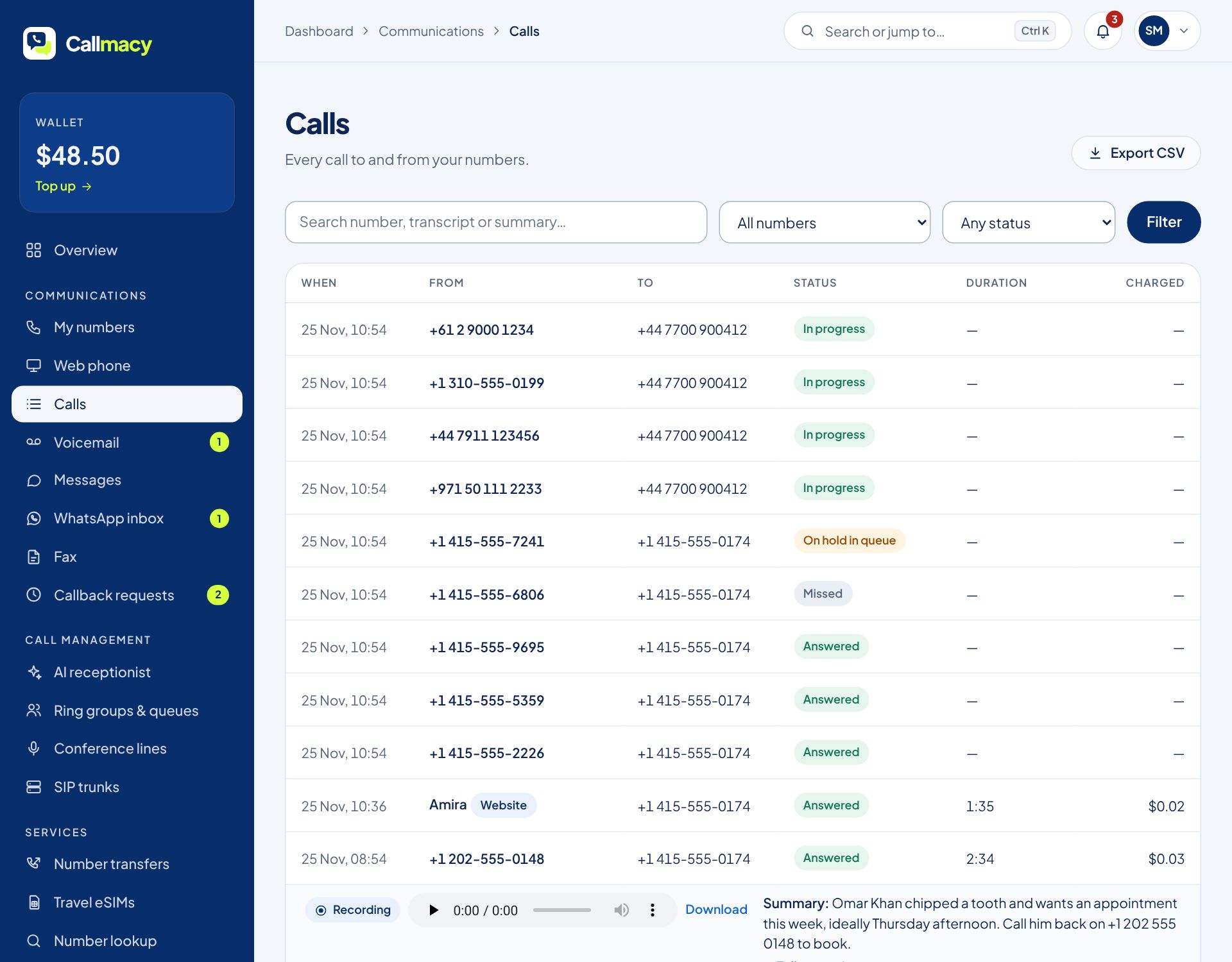
- Choose Recorded in the status filter to see only recorded calls.
- Use the search box to find words inside transcripts and summaries, like a name, “invoice” or “Thursday”.
- Export CSV includes each call’s summary.
Transcripts usually appear a minute or two after the call ends.
Pricing
- Recordings are free to keep.
- Transcripts and summaries cost $0.02 per minute of recorded audio, charged from your wallet. Turn transcription off if you only need the recordings.
Recordings are stored privately and only you can play them.
Still stuck?
Email [email protected] or send us a message — we usually reply within one business day.
Related guides
Call forwarding and routing
Ring your mobile, several phones, your web phone, an IVR menu, your PBX or the AI receptionist — and change it any time.
Ring groups and call queues
Share calls across your team. Ring several phones together or in turn, or hold callers in a queue with music until someone is free.
Web phone
Make and take calls in your browser, with your virtual number as caller ID — no SIM or app needed.
Conference lines
Give clients and your team one number to dial and talk together. Protect it with a PIN, wait for the host, mute people, call someone in and record the call — no app or link needed.