All help topics
Calls
Call history and exports
See every call to and from your numbers, filter and search them, and export to CSV.
Open Calls in the dashboard to see every call: when it happened, who called, which of your numbers it was for, its status, duration and cost.
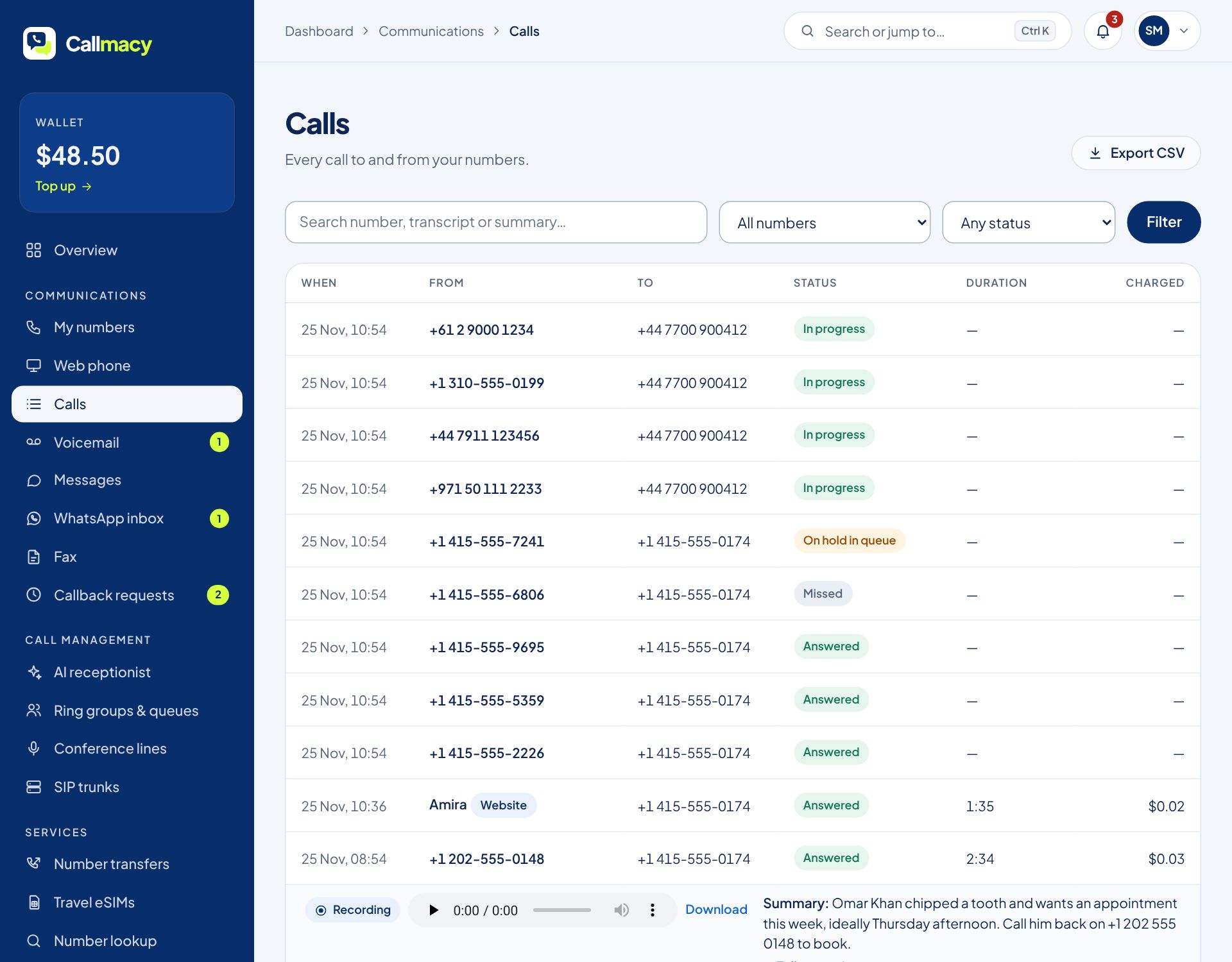
Filter and search
- Number — show calls for one of your numbers.
- Status — Answered, Missed, Voicemail, Blocked or Recorded.
- Search — a phone number, or any word said in a recorded call (see Call recording).
Export
Click Export CSV to download the calls you’re looking at, including date, direction, numbers, status, duration, charge and summary. It opens in Excel, Google Sheets or your CRM.
Statuses
| Status | Meaning |
|---|---|
| Answered | Someone picked up |
| Missed | The caller hung up before anyone answered |
| Voicemail | The caller left a message |
| Blocked | The caller is on your blocked list, or the call was stopped by spend protection or country rules |
Block a caller
To stop a number calling or texting you:
- Open Calls and find a call from that number.
- Click Block at the end of the row.
Or scroll to Blocked numbers at the bottom of the page, type the number with its country code (for example +44 7400 123456) and click Block number. You can add a note to remind yourself why.
What blocking does:
- Calls from that number are turned away before they ring. They do not reach your phones, voicemail or the AI receptionist.
- Blocked calls are not charged.
- Texts from that number are not delivered to your inbox.
- Blocked calls still appear in your call history with the status Blocked, so you can see they were tried.
- The block covers every number on your account.
To undo it, click Unblock beside the number in the Blocked numbers list.
Callers who hide their number cannot be blocked this way, because there is no number to match. You can block up to 500 numbers.
Still stuck?
Email [email protected] or send us a message — we usually reply within one business day.
Related guides
Call forwarding and routing
Ring your mobile, several phones, your web phone, an IVR menu, your PBX or the AI receptionist — and change it any time.
Ring groups and call queues
Share calls across your team. Ring several phones together or in turn, or hold callers in a queue with music until someone is free.
Web phone
Make and take calls in your browser, with your virtual number as caller ID — no SIM or app needed.
Conference lines
Give clients and your team one number to dial and talk together. Protect it with a PIN, wait for the host, mute people, call someone in and record the call — no app or link needed.