All help topics
Calls
Number lookup
Check any phone number before you call or text it — carrier, mobile or landline, VoIP, and the caller name for US and Canada numbers.
Number lookup tells you what kind of number you’re dealing with before you call or text it. Use it to clean up a contact list, check a lead is real, or see who a US number belongs to.
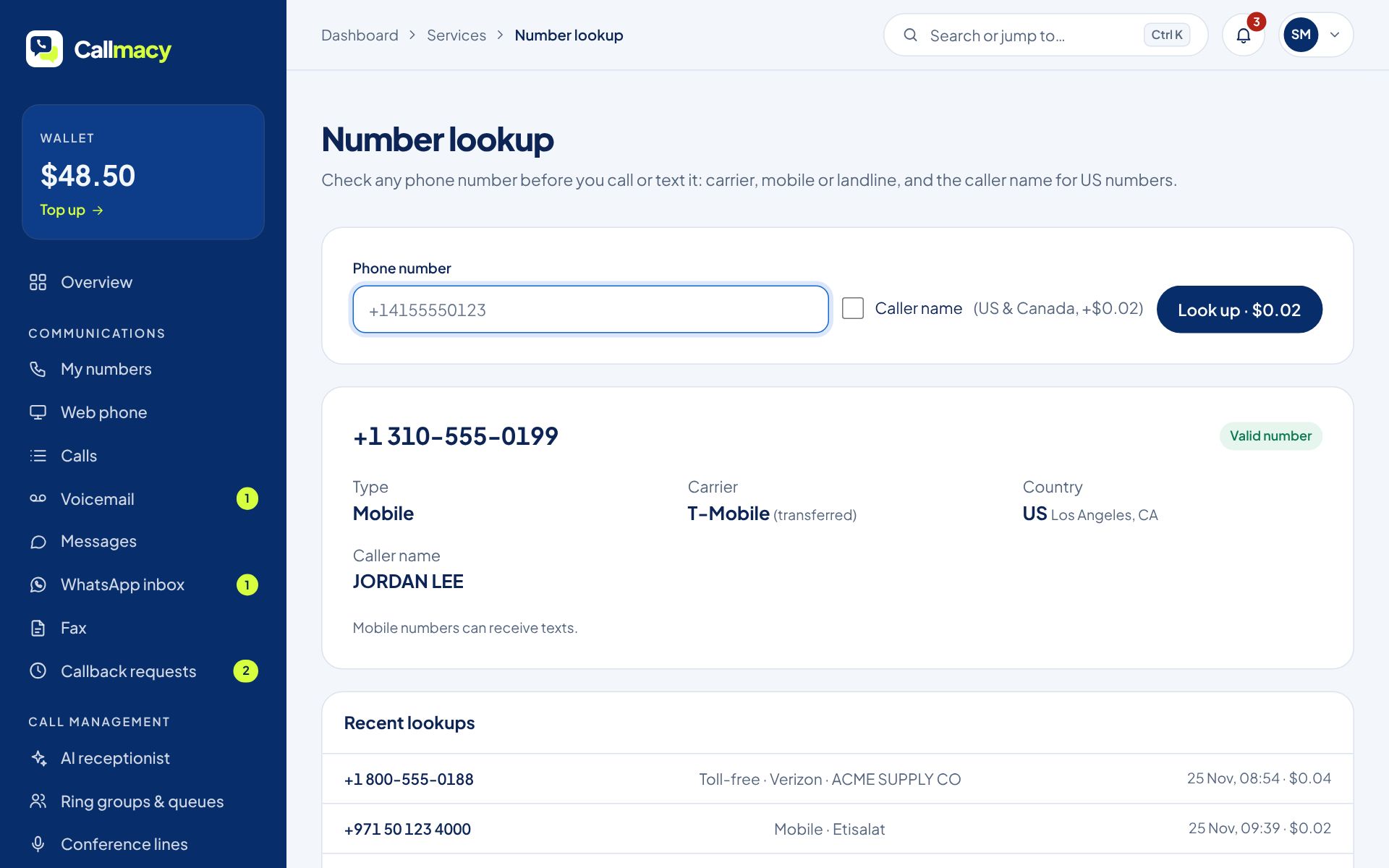
Look up a number
- Open Number lookup in the menu.
- Enter the number in international format, e.g. +14155550123.
- Tick Caller name if you want the registered name of a US or Canada number.
- Click Look up. The result appears straight away, and your last 15 lookups are listed below it.
What you get
| Detail | What it tells you |
|---|---|
| Type | Mobile, landline, VoIP / internet number, toll-free or premium rate. |
| Carrier | The network the number is on today — even if it was transferred from another one. |
| Country and area | Where the number is registered; city and state for US numbers. |
| Caller name | US and Canada only: the name in the national caller-ID (CNAM) database, usually the business or account holder. |
Tips:
- Texting? Only mobile numbers (and some VoIP numbers) can receive texts. Landlines can’t — call them instead.
- Premium-rate numbers can be expensive to call. The result warns you.
- A VoIP number is often a business line or app, but it can also be a throwaway number — worth a second look for new leads.
Price
Each lookup costs $0.02, plus $0.02 with caller name. It comes out of your wallet and appears in Wallet & billing. Lookups are available on every plan.
FAQ
Why is the caller name empty? Caller names exist only for US and Canada numbers, and not every number has one registered — mobiles often don’t.
What does “transferred” mean? The number has moved from the network that first issued it to the carrier shown.
Is a lookup the same as calling? No. The number doesn’t ring and the owner isn’t notified.
Am I charged for an invalid number? Lookups are charged when made. Check the format (+ and country code) before looking up.
Can I look up many numbers at once? Not yet from the dashboard — contact us if you need bulk lookups.
Still stuck?
Email [email protected] or send us a message — we usually reply within one business day.
Related guides
Call forwarding and routing
Ring your mobile, several phones, your web phone, an IVR menu, your PBX or the AI receptionist — and change it any time.
Ring groups and call queues
Share calls across your team. Ring several phones together or in turn, or hold callers in a queue with music until someone is free.
Web phone
Make and take calls in your browser, with your virtual number as caller ID — no SIM or app needed.
Conference lines
Give clients and your team one number to dial and talk together. Protect it with a PIN, wait for the host, mute people, call someone in and record the call — no app or link needed.