All help topics
Calls
Call forwarding and routing
Ring your mobile, several phones, your web phone, an IVR menu, your PBX or the AI receptionist — and change it any time.
Every number has its own routing. Changes apply to the very next call.
Open your number
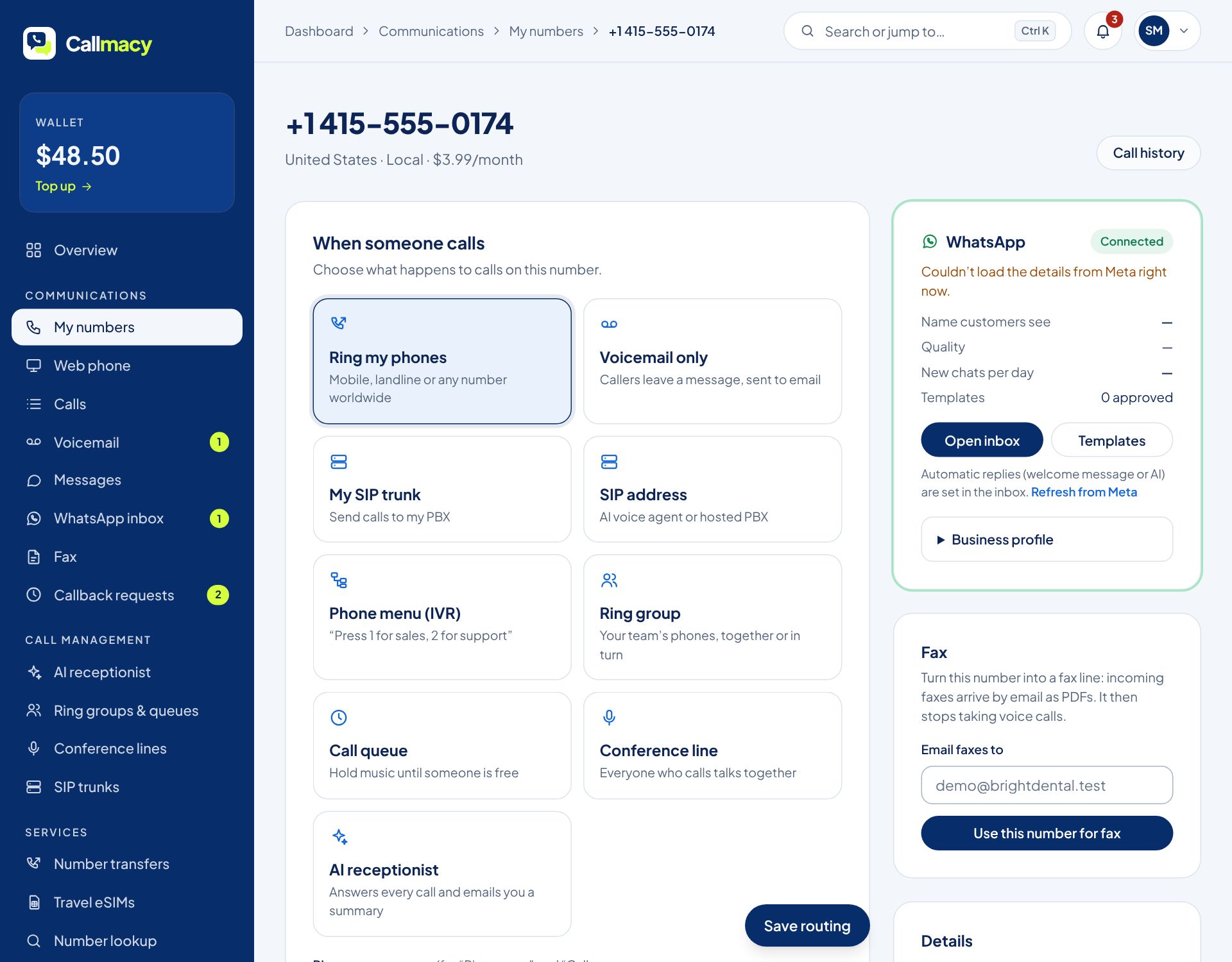
Go to My numbers and click the number. Under When someone calls, pick a Routing mode:
- Ring my phones — forward to up to five phone numbers anywhere in the world.
- Voicemail only — callers leave a message, which is emailed to you.
- My SIP trunk — send calls to your own phone system (see SIP trunking).
- Phone menu (IVR) — “Press 1 for sales, 2 for support”.
- AI receptionist — the AI answers every call (see AI receptionist).
Ring several phones
With Ring my phones, add numbers in international format, for example +971501234567. Then choose:
- Ring order — all at once (the first to answer gets the call) or one after another.
- Ring for — how long to ring before giving up (10–60 seconds).
- Ring my web phone too — your browser rings as well, for free (see Web phone).
- If nobody answers — take a voicemail, or let the AI receptionist answer.
You can also add a greeting that callers hear before the phones ring.
Business hours
Turn on Business hours, choose your time zone and set opening times per day. Leave a day empty to keep it closed. Under When closed, choose voicemail or the AI receptionist. Outside these hours calls skip your phones.
Phone menu (IVR)
Write a greeting, choose a voice language, then give each key (0–9) an action: ring phone numbers, ring your web phone, take a voicemail, AI receptionist, send to your SIP trunk, or play a message. If the caller presses nothing, the menu repeats once and then goes to voicemail.
Click Save routing when you’re done.
Forwarded minutes are charged at the rate of the destination you forward to, plus the normal incoming rate for your number.
Still stuck?
Email [email protected] or send us a message — we usually reply within one business day.
Related guides
Ring groups and call queues
Share calls across your team. Ring several phones together or in turn, or hold callers in a queue with music until someone is free.
Web phone
Make and take calls in your browser, with your virtual number as caller ID — no SIM or app needed.
Conference lines
Give clients and your team one number to dial and talk together. Protect it with a PIN, wait for the host, mute people, call someone in and record the call — no app or link needed.
Voicemail and voicemail-to-text
Get every voicemail by email with the message written out, and listen to them in your dashboard.